In today’s real estate market, getting attention for your property is very important. AssumeList makes it simple to reach more buyers by giving you tools to make your property stand out. This guide explains how you can turn a standard listing into a Featured Property on AssumeList to elevate your listing and get more views.
Step 1: Get Started on the Main Page
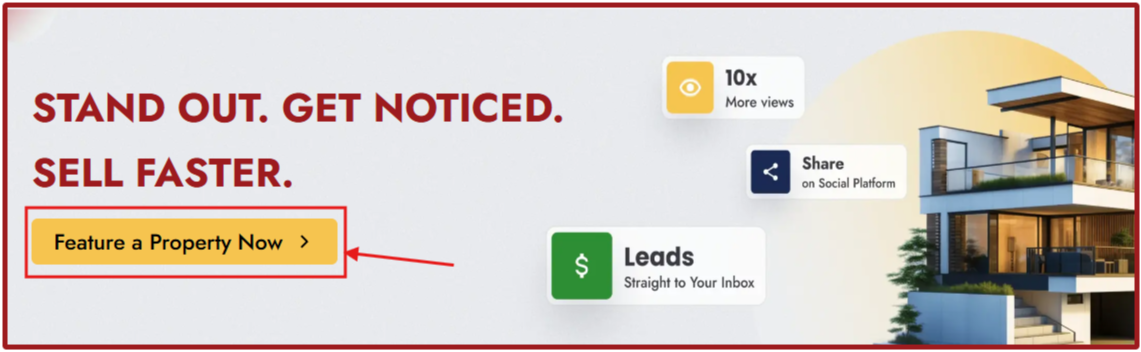
Go to the AssumeList main page and scroll down until you see the section that says: "Stand Out. Get noticed. Sell faster."
Click on the yellow Feature a Property Now button.
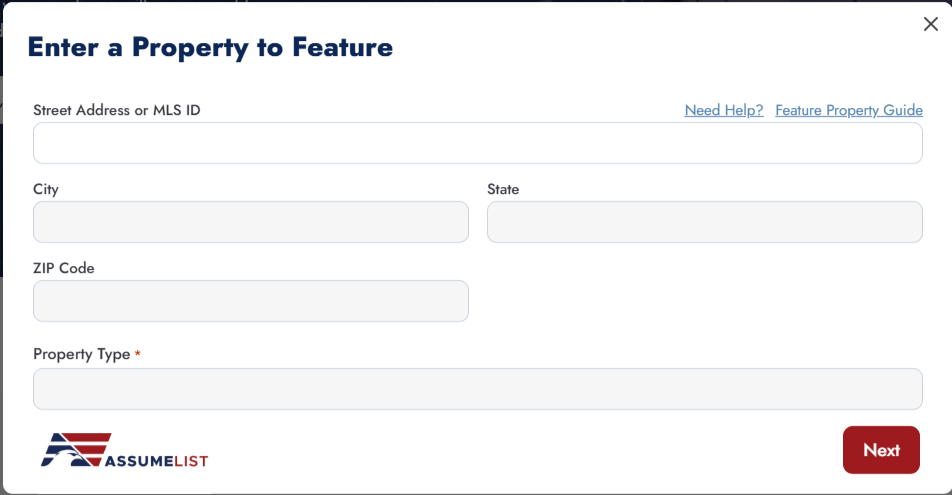
A pop-up window will appear asking you to "Enter a Property to Feature."
Step 2: Find Your Property
Enter either the street address or the MLS ID of the property.
Select your property from the drop-down options that appear.
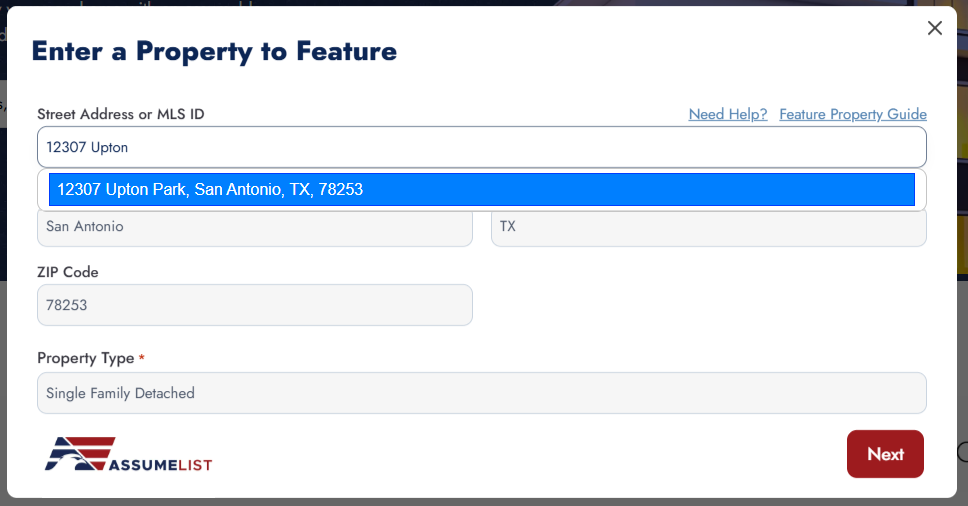
Note: If your property does not come up, it is likely not part of our database. In this case, please make sure the property is active in a supported MLS within the areas we service.
Step 3: Verify Details and Add Images
Once you select your address from the drop-down, click the Next button.
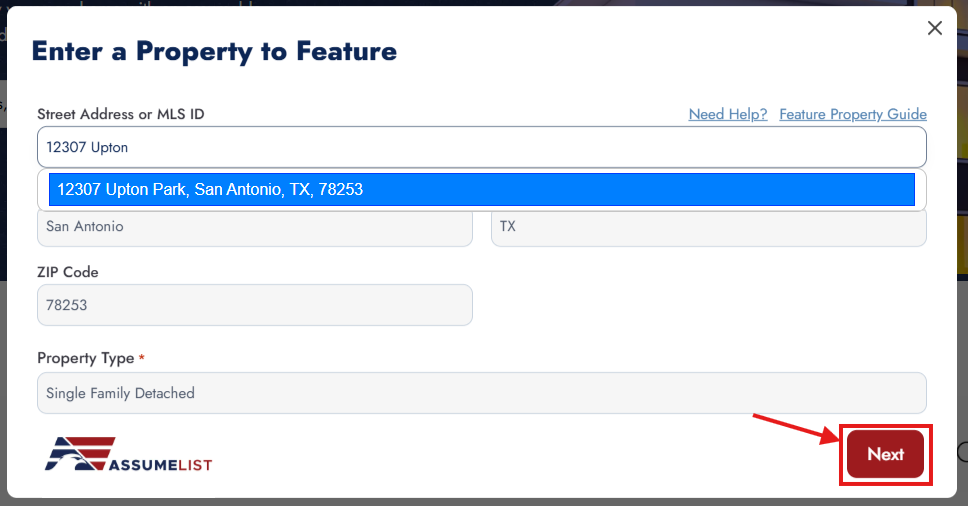
Review the page to make sure all the property information is correct.
Here, you will be prompted to add property images to make your listing shine.
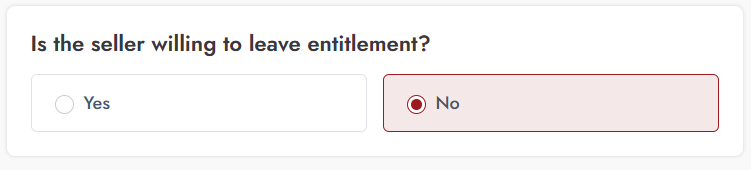
If your property has a VA loan, you will also be asked a few specific questions, such as whether the seller is willing to leave their entitlement.
Step 4: Add a Point of Contact (POC)
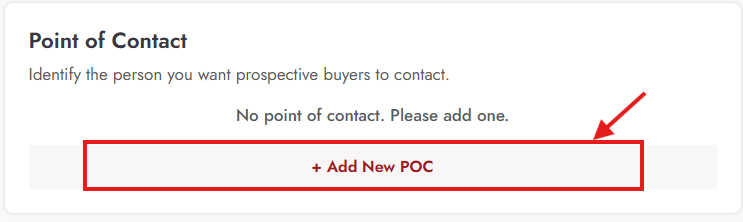
Scroll down to the bottom of the page to the "Point of Contact" section.
Click the Add new POC button.
A form will appear where you can add the First Name, Last Name, Designation, Email, and Phone Number. You can also add a profile picture!
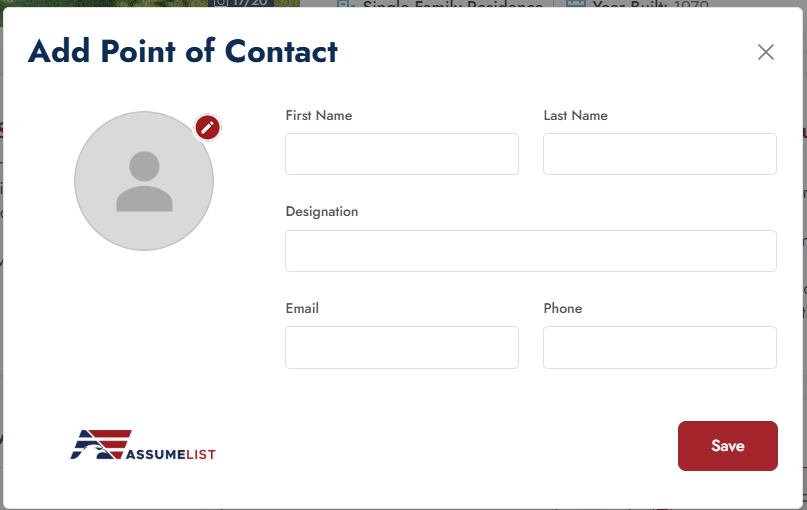
Whether you are the listing agent or the home seller, enter your contact information here so interested buyers know exactly who to reach out to.
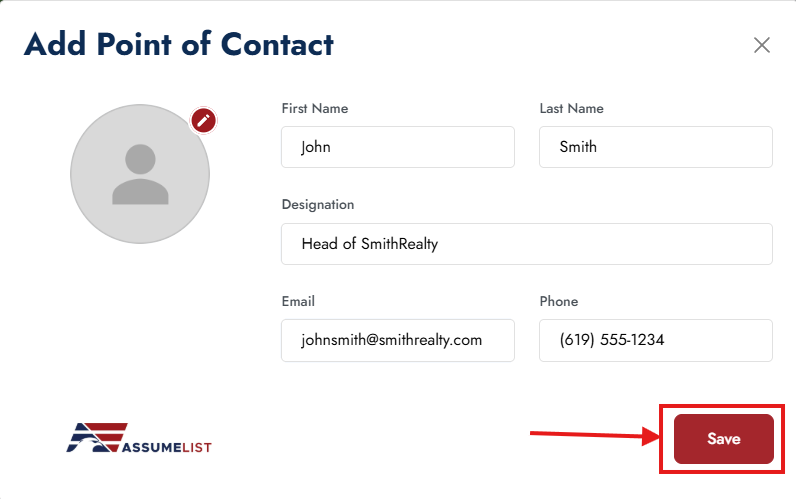
Once you are done, click the red Save button.
Step 5: Proceed to Checkout
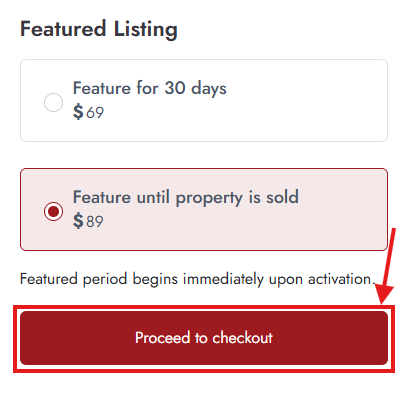
Once you have successfully saved your Point of Contact, the red Proceed to checkout button will become clickable. Go ahead and click on it.
Step 6: Payment and Completion
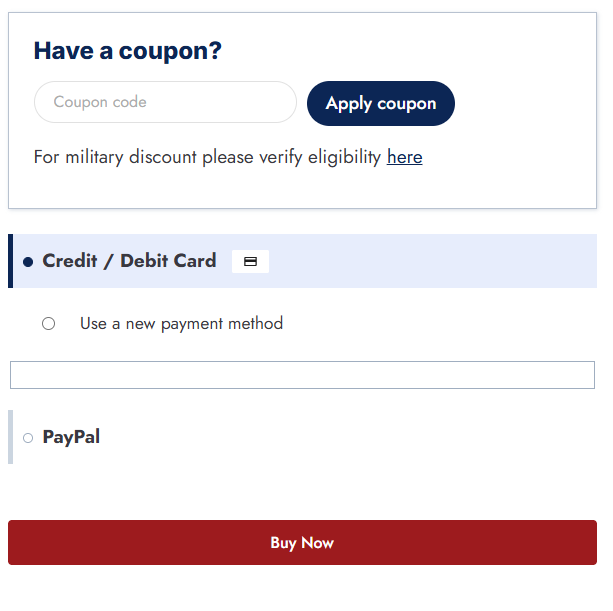
On the checkout page, you will have the option to enter a coupon code if you have one.
Choose your preferred payment method: Credit Card, Debit Card, or PayPal.
Fill out the necessary payment information.
Finally, click the Buy Now button.
Congratulations! Your listing is now featured on AssumeList.
Was this article helpful?
That’s Great!
Thank you for your feedback
Sorry! We couldn't be helpful
Thank you for your feedback
Feedback sent
We appreciate your effort and will try to fix the article